

Introduction
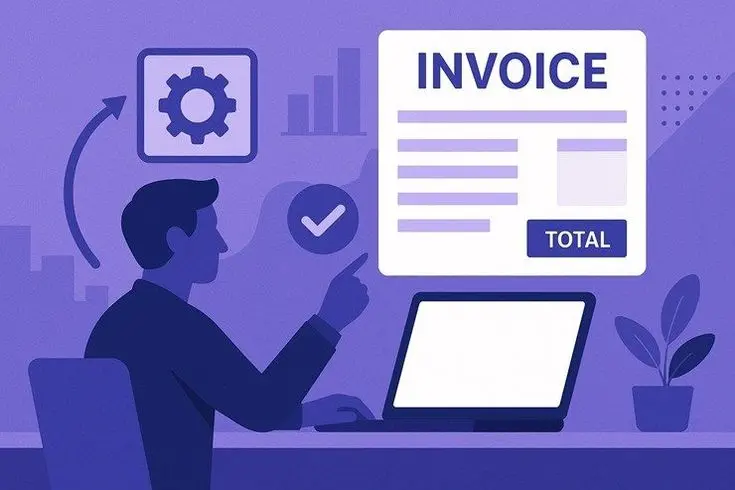
Freelancing has become one of the most popular ways to earn a living in today’s digital world. Whether you are a writer, designer, developer, or consultant, managing your finances professionally is just as important as delivering quality work. One of the key aspects of financial management is creating and sending invoices. This is where invoice generator tools for freelancers come into play.
Instead of manually creating invoices using spreadsheets or documents, freelancers can now use modern tools that simplify the entire process. These tools help you create professional invoices, track payments, manage clients, and even automate recurring billing. As a result, you save time and reduce the chances of errors.
Moreover, clients also prefer receiving clear and professional invoices. It builds trust and increases your chances of getting paid on time. With the growing number of digital tools available, choosing the right one can feel overwhelming. However, understanding how these tools work and what features to look for can make the decision much easier.
What is Invoice Generator Tools for Freelancers?
Invoice generator tools for freelancers are software or online platforms designed to help freelancers create, manage, and send invoices quickly and efficiently. These tools eliminate the need for manual calculations and formatting by offering ready-made templates and automated features.
Typically, an invoice generator allows you to input details such as:
- Client information
- Services provided
- Payment terms
- Pricing and taxes
Once the information is added, the tool automatically generates a professional invoice that can be downloaded or sent directly to the client.
In addition, many modern tools also include features like:
- Payment tracking
- Automatic reminders
- Expense management
- Multi-currency support
As freelancing continues to grow globally, these tools have become essential for maintaining professionalism and ensuring smooth financial transactions.
Why is Invoice Generator Tools for Freelancers Important?
Using invoice generator tools for freelancers is not just about convenience. It plays a significant role in building a sustainable freelance business.
Firstly, these tools help maintain professionalism. A well-designed invoice reflects your brand and shows that you take your work seriously. Clients are more likely to trust and respect freelancers who present organized and clear billing documents.
Secondly, they improve efficiency. Instead of spending hours creating invoices manually, you can generate one in minutes. This allows you to focus more on your core work and less on administrative tasks.
Another important factor is accuracy. Manual invoicing can lead to mistakes in calculations or missing details. Invoice tools automatically calculate totals, taxes, and discounts, reducing errors.
Furthermore, these tools help with payment tracking. You can easily see which invoices are paid, pending, or overdue. Some tools even send automatic reminders to clients, helping you get paid faster.
Lastly, they assist in financial organization. Having all your invoices stored in one place makes it easier during tax season or when reviewing your income.
Detailed Step-by-Step Guide
Step 1: Choose the Right Tool
Start by selecting an invoice generator that fits your needs. Consider factors such as ease of use, features, pricing, and customization options.
For example, beginners may prefer simple tools with basic features, while experienced freelancers might need advanced features like automation and reporting.
Step 2: Create Your Account
Once you choose a tool, sign up and create your account. Most platforms require basic information such as your name, email, and business details.
After registration, you can access the dashboard where all invoicing activities take place.
Step 3: Set Up Your Profile
Next, add your business details, including:
- Business name
- Logo
- Contact information
- Payment methods
This information will automatically appear on your invoices, giving them a professional look.
Step 4: Add Client Information
Before creating an invoice, you need to add your client’s details. This usually includes:
- Client name
- Company name
- Email address
- Billing address
Having saved client profiles makes future invoicing faster.
Step 5: Create an Invoice
Now, you can generate your first invoice. Fill in the required fields such as:
- Invoice number
- Date
- Description of services
- Quantity and price
The tool will automatically calculate the total amount.
Step 6: Customize the Invoice
Most tools allow customization. You can adjust colors, fonts, and layout to match your branding.
Additionally, you can include payment terms and notes to clarify expectations.
Step 7: Send the Invoice
After reviewing the details, send the invoice directly through the platform or download it as a PDF.
Many tools also provide email integration for quick sharing.
Step 8: Track Payments
Once the invoice is sent, monitor its status. You can see whether it has been viewed or paid.
If necessary, send reminders to clients for overdue payments.
Benefits of Invoice Generator Tools for Freelancers
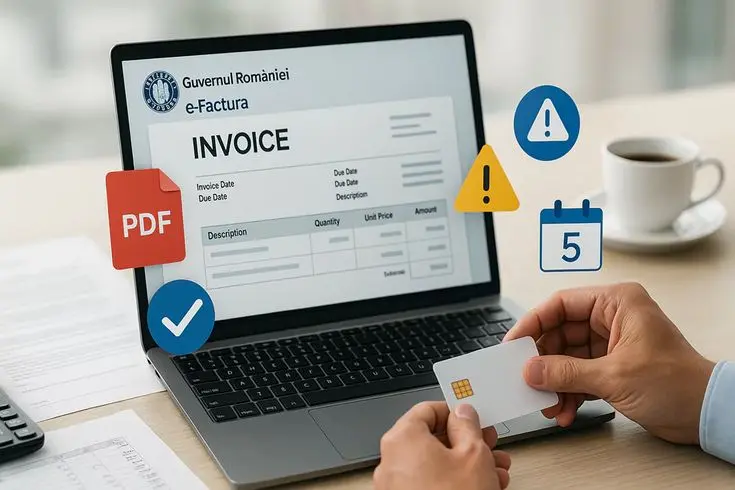
- Saves time by automating invoice creation
- Reduces errors in calculations
- Enhances professionalism with clean designs
- Helps track payments and outstanding invoices
- Supports multiple currencies for international clients
- Enables easy record-keeping for taxes
- Offers automation for recurring invoices
- Improves cash flow management
Disadvantages / Risks
- Some tools require a subscription fee
- Learning curve for beginners
- Dependence on internet access for online tools
- Data security concerns if using unreliable platforms
- Limited customization in free versions
- Over-reliance may reduce manual financial awareness
Common Mistakes to Avoid
One common mistake freelancers make is not including complete information in invoices. Missing details such as payment terms or due dates can lead to confusion and delayed payments.
Another issue is inconsistent invoicing. Sending invoices late or irregularly can affect your cash flow and professionalism.
Freelancers also often ignore follow-ups. Even with tools, it is important to monitor unpaid invoices and send reminders when needed.
Additionally, using overly complex designs can make invoices hard to read. Simplicity and clarity should always be prioritized.
Lastly, failing to back up invoice data can be risky. Always ensure your records are محفوظ and accessible.
FAQs
1. What is the best invoice generator tool for freelancers?
The best tool depends on your needs. Some freelancers prefer simple tools, while others need advanced features like automation and reporting.
2. Are free invoice generator tools reliable?
Yes, many free tools are reliable for basic use. However, they may have limitations in features and customization.
3. Can I use invoice tools for international clients?
Most modern invoice generator tools support multiple currencies and tax formats, making them suitable for global clients.
4. Do invoice generator tools help in getting paid faster?
Yes, features like automatic reminders and online payment options can speed up the payment process.
5. Is it necessary to customize invoices?
Customization is not mandatory, but it helps build your brand and makes your invoices look more professional.
6. Can I track payments using these tools?
Yes, most invoice tools include tracking features that show the status of each invoice.
Expert Tips & Bonus Points
To get the most out of invoice generator tools for freelancers, always keep your invoices simple and clear. Avoid adding unnecessary details that might confuse clients.
Use consistent branding across all invoices. This includes your logo, colors, and fonts. It helps in building recognition and trust.
Set clear payment terms. For example, mention whether payment is due in 7, 15, or 30 days. This reduces misunderstandings.
Enable automatic reminders if the tool supports it. This saves time and ensures timely follow-ups.
Also, regularly review your invoices and financial data. This helps you understand your income patterns and plan better.
Finally, choose a tool that can grow with your business. As your freelance career expands, your invoicing needs may become more complex.
Conclusion
Invoice generator tools for freelancers have become an essential part of modern freelancing. They simplify the invoicing process, improve professionalism, and help maintain accurate financial records. Instead of relying on manual methods, freelancers can now automate tasks and focus more on their work.
These tools not only save time but also reduce errors and improve cash flow. By using features like payment tracking and reminders, freelancers can ensure timely payments and better financial management.
However, it is important to choose the right tool and use it effectively. Avoid common mistakes such as incomplete invoices or inconsistent billing. With proper use, these tools can significantly enhance your freelance business.
